Mesh to Micron / MM Conversion Chart & Calculator | M&C
Mesh Conversion Calculator
ASTM E11 Mesh to Micron Conversion Chart
Higher mesh number = smaller opening.
| Mesh | Inch (in) | Micron (μm) | Millimeter (mm) |
|---|---|---|---|
| 2.5 mesh | 0.3150 | 8000 | 8.00 |
| 3 mesh | 0.2638 | 6700 | 6.70 |
| 3.5 mesh | 0.2205 | 5600 | 5.60 |
| 4 mesh | 0.1870 | 4750 | 4.75 |
| 5 mesh | 0.1575 | 4000 | 4.00 |
| 6 mesh | 0.1319 | 3350 | 3.35 |
| 7 mesh | 0.1102 | 2800 | 2.80 |
| 8 mesh | 0.09291 | 2360 | 2.36 |
| 10 mesh | 0.07874 | 2000 | 2.00 |
| 12 mesh | 0.06693 | 1700 | 1.70 |
| 14 mesh | 0.05512 | 1400 | 1.40 |
| 16 mesh | 0.04646 | 1180 | 1.18 |
| 18 mesh | 0.03937 | 1000 | 1.00 |
| 20 mesh | 0.03346 | 850 | 0.850 |
| 25 mesh | 0.02795 | 710 | 0.710 |
| 30 mesh | 0.02362 | 600 | 0.600 |
| 35 mesh | 0.01969 | 500 | 0.500 |
| 40 mesh | 0.01673 | 425 | 0.425 |
| 45 mesh | 0.01398 | 355 | 0.355 |
| 50 mesh | 0.01181 | 300 | 0.300 |
| 60 mesh | 0.009843 | 250 | 0.250 |
| 70 mesh | 0.008268 | 210 | 0.210 |
| 80 mesh | 0.007087 | 180 | 0.180 |
| 100 mesh | 0.005906 | 150 | 0.150 |
| 120 mesh | 0.004921 | 125 | 0.125 |
| 140 mesh | 0.004173 | 106 | 0.106 |
| 170 mesh | 0.003543 | 90 | 0.090 |
| 200 mesh | 0.002953 | 75 | 0.075 |
| 230 mesh | 0.002480 | 63 | 0.063 |
| 270 mesh | 0.002087 | 53 | 0.053 |
| 325 mesh | 0.001772 | 45 | 0.045 |
| 400 mesh | 0.001496 | 38 | 0.038 |
What Is Mesh Size and How to Read It
Mesh size refers to the number of openings in one linear inch of a screen, measured from the center of any wire to the center of the wire one inch away. A 100-mesh screen has 100 openings per inch; a 200-mesh screen has 200. Because the mesh number counts openings, a higher mesh number means a smaller opening and finer particles pass through.
Mesh vs Micron vs Millimeter
- Micron (μm) is the actual opening size: 1 μm = 0.001 mm.
- Millimeter (mm) is the same opening in millimeters.
- Inch (in) is the opening in inches: 1 in = 25.4 mm.
- Standard screens follow ASTM E11 (US) / ISO 3310 (metric).
- For non-standard values, opening (mm) ≈ 25.4 / mesh.
Where These Conversions Are Used
- Selecting vibrating screen mesh for sand and aggregate grading.
- Sizing filter press cloth and filter bags.
- Choosing PU or rubber screen panels for a cut point.
- Reading laboratory sieve analysis and PSD reports.
- Specifying hydrocyclone and fine-sand recovery cut points.
Worked Example: Reading a PSD Report
If a customer’s report states that product is “minus 200 mesh,” it means every particle passes a 200-mesh screen with a 75 μm (0.075 mm) opening. A target such as “80% passing 10 mesh (2.0 mm)” means 80% of the material is finer than 2.0 mm. Use the calculator above to turn any mesh number into the μm or mm value used in equipment sizing.
Frequently Asked Questions
What is 200 mesh in microns and mm?
A 200-mesh screen has an opening of 75 microns (0.075 mm) under ASTM E11. “Minus 200 mesh” material passes through a 75 μm opening.
What is 325 mesh in mm?
325 mesh equals 45 microns, or 0.045 mm. This is the finest commonly used test sieve in mineral and powder processing.
What is 100 mesh in microns?
100 mesh corresponds to 150 microns (0.15 mm). Older charts sometimes list 165 μm, which is not the current ASTM value.
Does a higher mesh number mean finer particles?
Yes. Mesh counts openings per inch, so more openings per inch means each opening is smaller. 40 mesh (425 μm) is coarse; 200 mesh (75 μm) is fine.
What is the difference between mesh and micron?
Mesh is a count of openings per inch, while micron is the physical size of one opening in micrometers. The mesh number alone does not give an exact size without a standard such as ASTM E11 or ISO, because wire diameter also affects the opening.
What is 60 mesh in microns and mm?
60 mesh = 250 microns = 0.25 mm. This is a common cut point for fine sand and concrete-sand grading.
What is 20 mesh in mm?
20 mesh = 850 microns = 0.85 mm. The theoretical 25.4 / mesh value (1.27 mm) is not used for standard screens; the ASTM nominal opening is 0.85 mm.
How do I choose the right mesh for filter cloth or a screen?
Start from the particle size you must retain or pass (in μm), then choose the standard mesh closest to that cut point. For sticky or high-clay feeds, allow a margin and select a slightly coarser cloth to reduce blinding. Our engineers can confirm the cut point from your sieve analysis — send us your PSD data.
Need help sizing a screen or filter?
Send your sieve analysis or feed PSD — we will confirm the mesh cut point, screen area and equipment layout.
 Why Use Frac Sand & How To Choose The Right Frac Sand
 Vibrating Screen Mesh Types
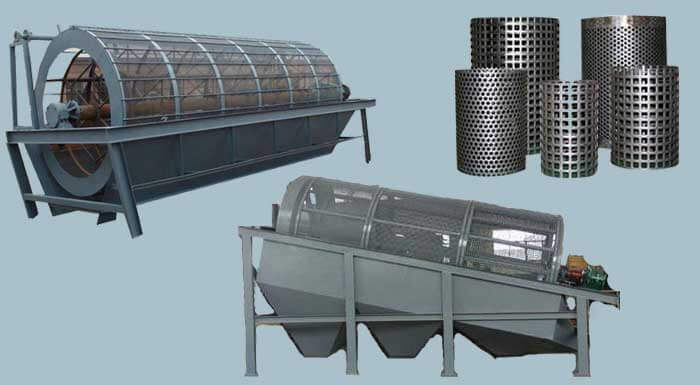 What is Trommel Screen and How Does It Work
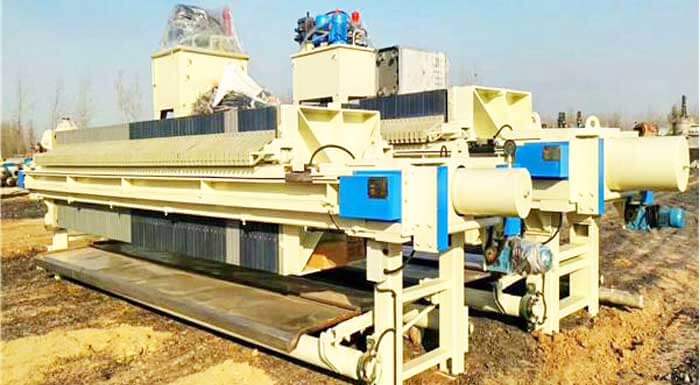 10 Common Types Filter Press Prices